



Never miss a beat with
Smart Reminders
Your go-to destination for staying organized and on top of your tasks, deadlines, and appointments. Manage your reminders effortlessly and never miss an important event again.
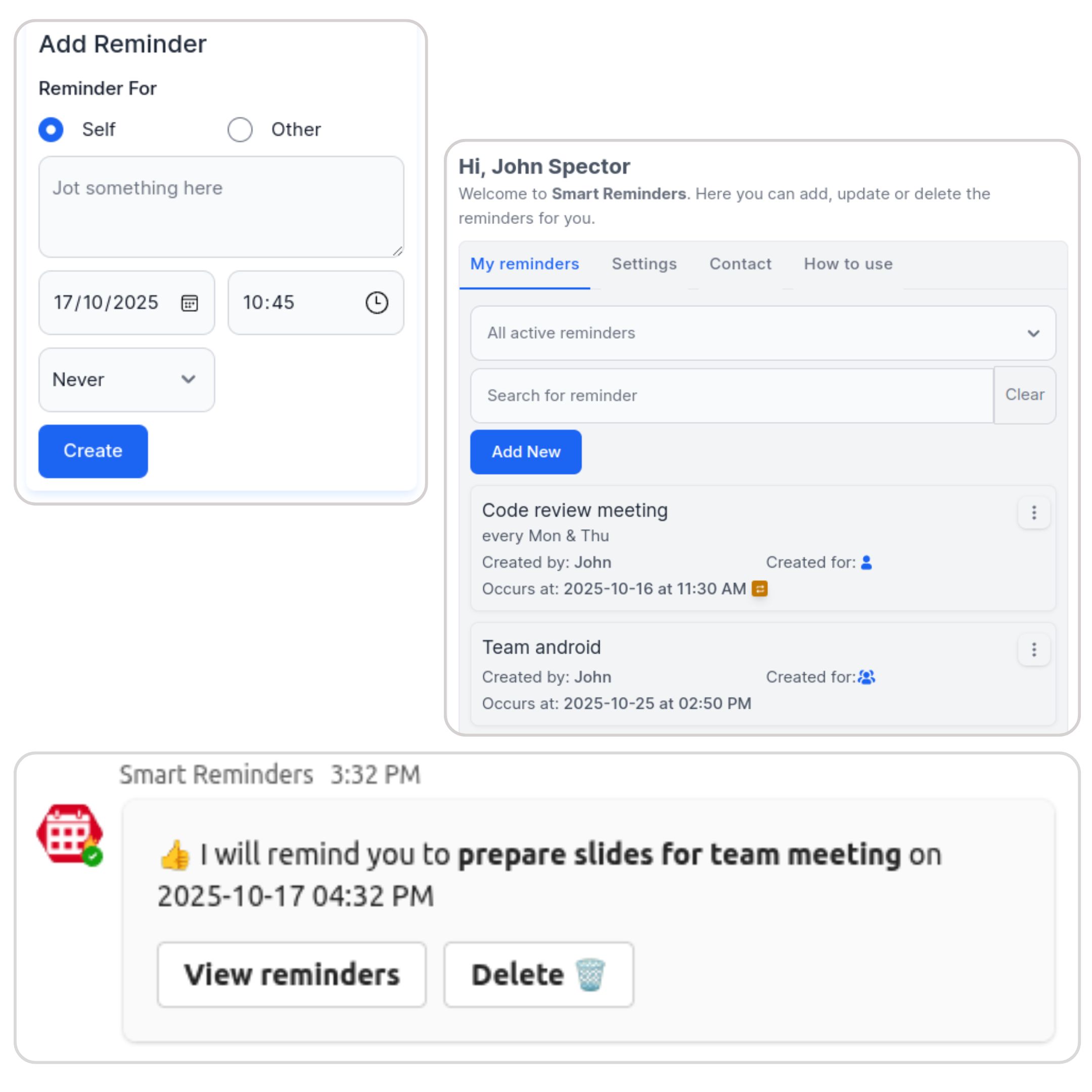
Effortless Reminder Management
Set one-time or recurring reminders for yourself or your team members directly within MS Teams.
- Quick & easy setup
- Recurring options
- Team-wide notifications
Customizable Schedules
Tailor reminders to fit your workflow. Choose dates, times, and recurrence patterns that work for you.
- Fexible timing options
- Personalized alerts
- Timezone support

Real-time Notifications
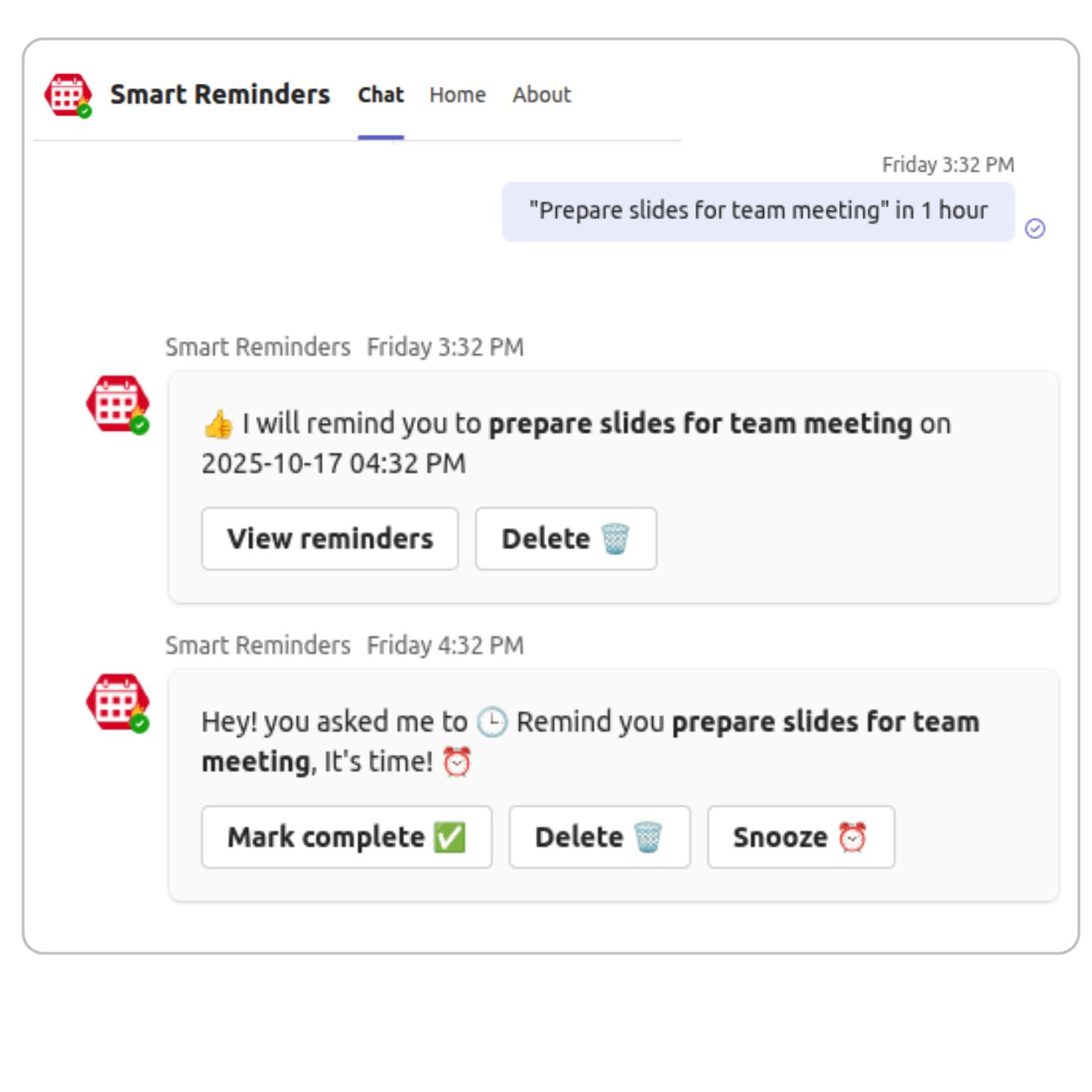
Receive timely alerts so you never miss a deadline or meeting again.
- Instant desktop alerts
- Mobile notifications
- Actionable reminders
Simple Pricing for Smart Teams
Stop missing deadlines. Start staying organized.
Free Trial
Experience the full power of Smart Reminders for 30 days.
- Up to 5 Active Reminders for Each User
- 2 Recurring Personal/Team/Group Reminders Each User
Solo
For individuals looking to maximize their personal productivity.
- Unlimited Active Upcoming Reminders
- Unlimited Active Recurring Personal Reminders
- Unlimited Active Recurring Team/Group Reminders
Team
Collaborative reminder management for the entire department.
- Unlimited Active Upcoming Reminders
- Unlimited Active Recurring Personal Reminders
- Unlimited Active Recurring Team/Group Reminders
Frequently Asked Questions
How do I set a reminder for myself?
Can I set reminders for other team members or channels?
How do I customize my notification settings?
Does the app support different time zones?
Can I set recurring reminders?
Is there a way to view all my reminders in one place?
How do I edit or delete a reminder?
Can I add notes to my reminders?
What happens if I miss a reminder?
How secure is my data within the Reminders app?
Ready to Get Started?
Join thousands of teams who are already using our tools to boost their productivity.
Get Started for Free